
Industrial Websites: How to Upload Products in Bulk with AI
Preparing product materials and entering them one by one slows industrial website teams down. This real project explains how AI-assisted checks, a consistent template and batch uploads turn those materials into product pages, with a workflow the client can reuse.

Uploading products to an industrial website starts with checking product names, specifications and applications, organizing descriptions and images, and putting them on the site. Handling products one by one takes time: writing materials, entering data in the backend, formatting content and uploading images. Inconsistent document structures also create more rework.
An abrasives business we worked with spent considerable time at this preparation stage. The client knew its products, but checking the information, writing descriptions and organizing everything into content the website could use proved difficult.
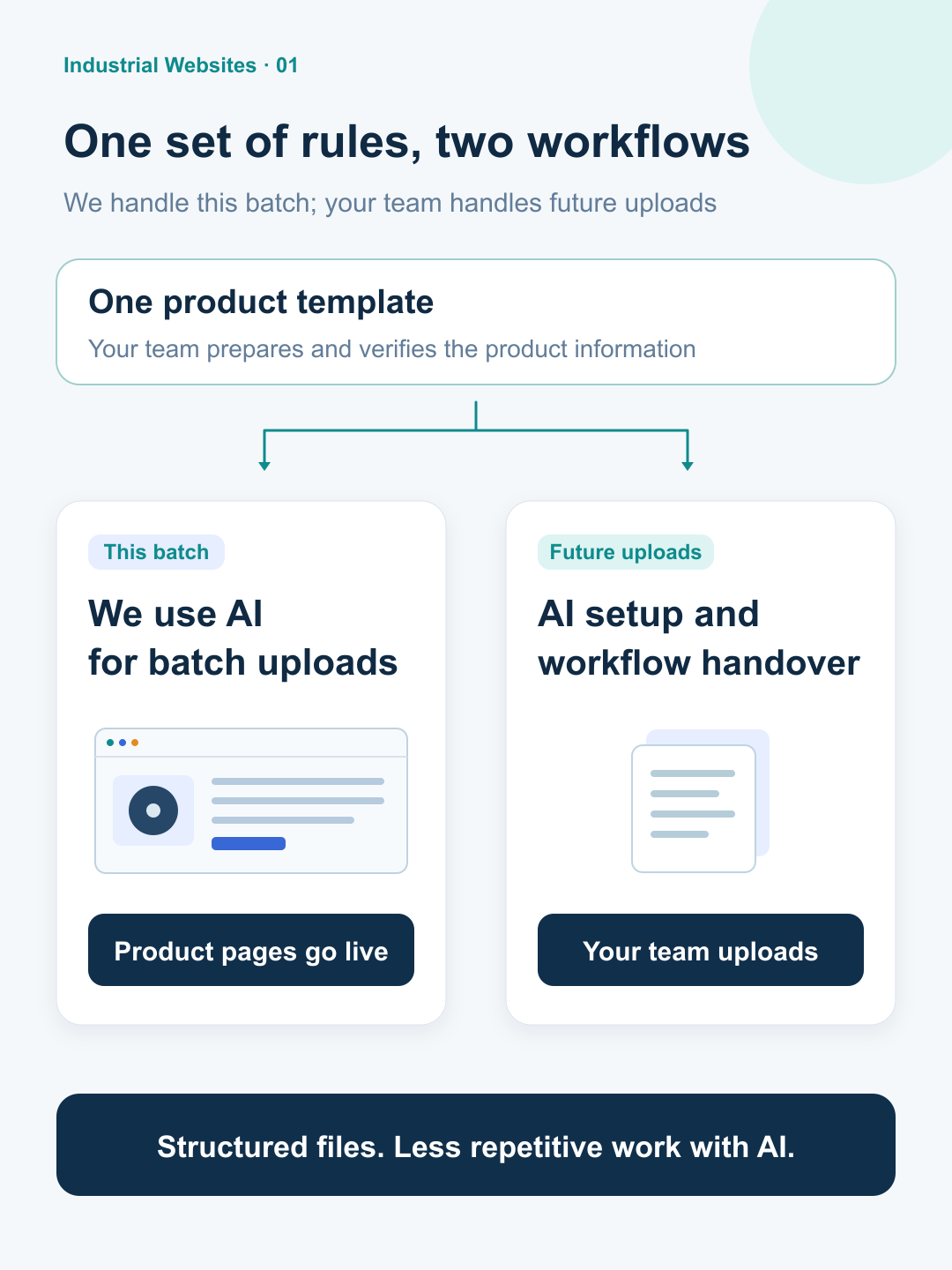
We started with the first batch of materials, used AI to assist with checking, and visited the client to help clarify the preparation process. Once the client understood the process, it completed the materials within one to two days. We then used AI to handle the product uploads in a batch and handed over the method for adding products in the future.
After two weeks of preparation, the first batch still could not be processed directly
The client had already spent two weeks preparing product materials: checking products, writing descriptions, and organizing images and related information.
The first batch still needed work. Some information was incomplete, some materials were duplicated, and the documents had inconsistent structures. A section included in one product document was missing from another.
For industrial products, names, specifications, applications and corresponding images all need to be clear. The client had to verify product information while also working out how to prepare it for the website, which led to repeated work.
The immediate obstacle was that this batch of materials could not yet be processed together according to the planned product-page structure. Generating pages in bulk required resolving both the problems in the materials and the way the documents were organized.
First, use AI to identify issues in the materials
After receiving the first batch, we used AI to help search and cross-check the product materials. We identified several types of issue:
Duplicated materials: the client needed to confirm which content to retain and which items needed to be distinguished.
Product names and descriptions that did not match: the description did not accurately refer to the product in question.
Errors in the English wording: further proofreading was needed.
During project discussions, we listed the issues identified with AI for the client to verify. These included whether a filename matched the product and whether the image specifications agreed with the document.
This gave the client specific items to check and clear references for verifying product facts.
We also found a problem that directly affected batch generation: the sections needed for the pages were not consistently represented in the product documents.
We needed to look more closely at how the client was preparing the materials.
Visit the client and organize the materials around a consistent template
We visited the client promptly to review the actual preparation process. We found that the client was not using a consistent template to organize each product's content.
We explained why the template mattered, what important information each document needed, and how that content would map to the final product page.
We also clarified the different uses of the materials: Word documents would become product details, primary images would be used for product display and batch uploading, and other technical attachments needed to be distinguished by their intended use.
When every document has a different structure, batch processing requires repeated decisions: where a paragraph belongs, which section is missing, and what needs an individual adjustment. A consistent template puts the same type of information in the same place, so it can be processed using the same rules.
The template standardizes the information structure. Each product's materials, specifications and applications still need to reflect the actual product.
The client needed to understand how the materials would become pages and how much preparation it was responsible for. Once that was clear, the preparation requirements were easier to follow.
Complete the materials in one to two days, then generate product pages in a batch
After the on-site discussion, the client fully understood how the materials would be prepared and processed. It completed the product materials over the following one to two days.
The improvement happened at the materials-preparation stage. The client understood what to write in each section, how to organize the documents, and how the content would be used on the pages.
The client prepared the descriptions and images used to generate the product pages. Our next step was to organize those existing materials to meet the page requirements and use AI to handle the uploads in a batch.
Product descriptions and primary images each had a specific role on the website:
Product descriptions: the prepared Word content was converted into product details using the consistent template and placed on the corresponding product pages.
Primary product images: the separately prepared primary images were named consistently and uploaded together for product display on the website.
The client's materials became product content on the site. Using AI to process this work in a batch reduced the repetitive steps of opening each product editor, pasting descriptions, adjusting content and uploading primary images.
Hand over the method for adding products in the future
After completing this batch, we handed over the method for adding products so that the client could continue using it.
We helped the client set up its AI environment, including Chinese and international AI tools, and provided the relevant skills for product uploading. A skill can be understood as a set of task rules and operating steps for AI, allowing later work to follow the established requirements.
Our follow-up guidance gave the client a specific approach: prepare the product Word documents and images, tell AI that these are new products and which categories they belong in, and then ask it to carry out the upload task. The client can describe a complete job without having to break every small action into a separate instruction.
We also explained specific document-formatting rules. For example, the "Product features" section uses a heading on one line, followed by the body text on the next line.
Here, "one-click uploading" means working within the AI environment configured for this project, following this website's product-page structure and upload requirements. The document template, page structure and processing rules need to work together to put the materials onto the appropriate product pages.
Under these conditions, the client can prepare materials using the template and initiate uploads itself. The same method can be reused for future products, allowing the client to focus on preparing the materials and confirming product information.
For businesses that already have a website, the first step is to review the existing product-page structure, upload process and materials, establish a suitable approach to batch processing, and then arrange the necessary setup.
Related reading
Is your industrial website held up by product uploads?
If your industrial website is held up by preparing product materials, generating pages in bulk or uploading products, email us about the problem.
Ideally, provide your current website, a sample product document and the stage that takes the most time. Together, we can establish whether you need help with the materials template and preparation process, batch uploading, or the AI environment and workflow handover, and then define the scope of work.
Email: contact@nowupdating.com